Brand Guidelines
Our brand is our identity. These guidelines ensure consistency across all communications.
Brand Colors
Our primary color palette.
Logo Variations
We have two main logo variations, each with two declinations (Light, Dark).
Primary Logo (Wordmark)


Secondary Logo (Icon)


1) Marketing Setup
Follow these essential steps to set up your WhatsApp ordering channel.
1. Create your Link & QR Code
Creating a custom WhatsApp link and QR code is the first step to letting your customers order directly.
- Enter your WhatsApp Number: Make sure to include the correct country code (e.g., +33 for France, +41 for Switzerland).
- Create a Welcome Message: This is the pre-filled message your customers will send to start the order. Keep it simple and inviting, e.g., 'Hello, I'd like to see the menu' or 'Hi, I want to place an order'.
- Download Your Assets: Once generated, download both the Link (URL) and the QR Code image. You will need these for all your marketing materials.
Create Your Link
Generate a WhatsApp link that opens a chat with your pre-filled message
Preview
Your message will appear here
Enter a valid phone number to generate QR code
2. Google My Business Setup
Optimizing your Google My Business profile is crucial for local visibility.
- Access your Business Profile: Search for your business on Google or open the Google Maps app.
- Add Chat Button: Go to 'Edit Profile' > 'Contact' (or 'Business Information'). Look for the 'Chat' section. Click the arrow/edit icon. Select 'WhatsApp' from the dropdown menu. Enter your WhatsApp URL (e.g., https://wa.me/your_number). Click Save.
- Add 'Order Online' Button: Go to 'Food Ordering' or 'Takeout & Delivery' settings in your profile. Select 'Add a link'. If you have existing links, choose 'Add another link'. Paste your WhatsApp URL here. This allows customers to click 'Order Online' and go straight to your WhatsApp chat.
3. Permanent Placements
Ensure your customers can always find your WhatsApp ordering channel. Add your link to these key locations:
- Website: Add a sticky button with the WhatsApp logo.
- Instagram Bio: Use 'Order on WhatsApp' as a title and paste your link.
- Social Profiles: Add to bios on Facebook, TikTok, LinkedIn, and YouTube.
- Linktree: Make it your primary link at the top.
- Email Signature: Add a line saying 'Order now on WhatsApp' with your link.
2) Marketing / Physical Assets
Physical assets can be printed by us or your team. Use these guidelines for inspiration.
Elements to Provide
- Restaurant Logo (SVG)
- High-quality food photos (min 2000x2000px)
- Brand Colors (HEX codes)
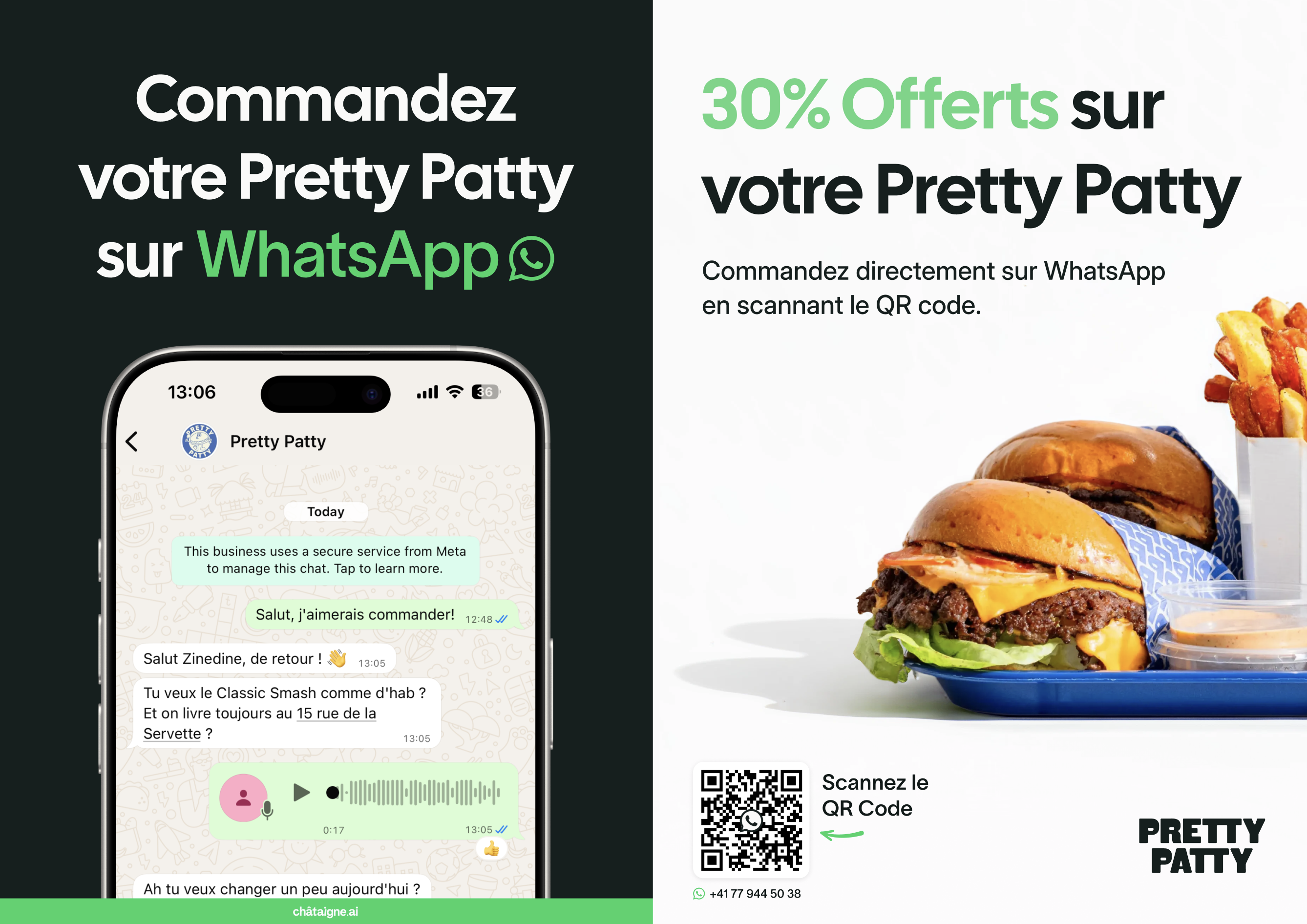
Flyers (A5)
Double-sided, Matte Finish. Place in delivery bags.
- Include phone number and QR Code with CTA
- Highlight promotion percentage
- Show conversation mockup on phone
- Include 'châtaigne.ai' logo variation
NFC Plates
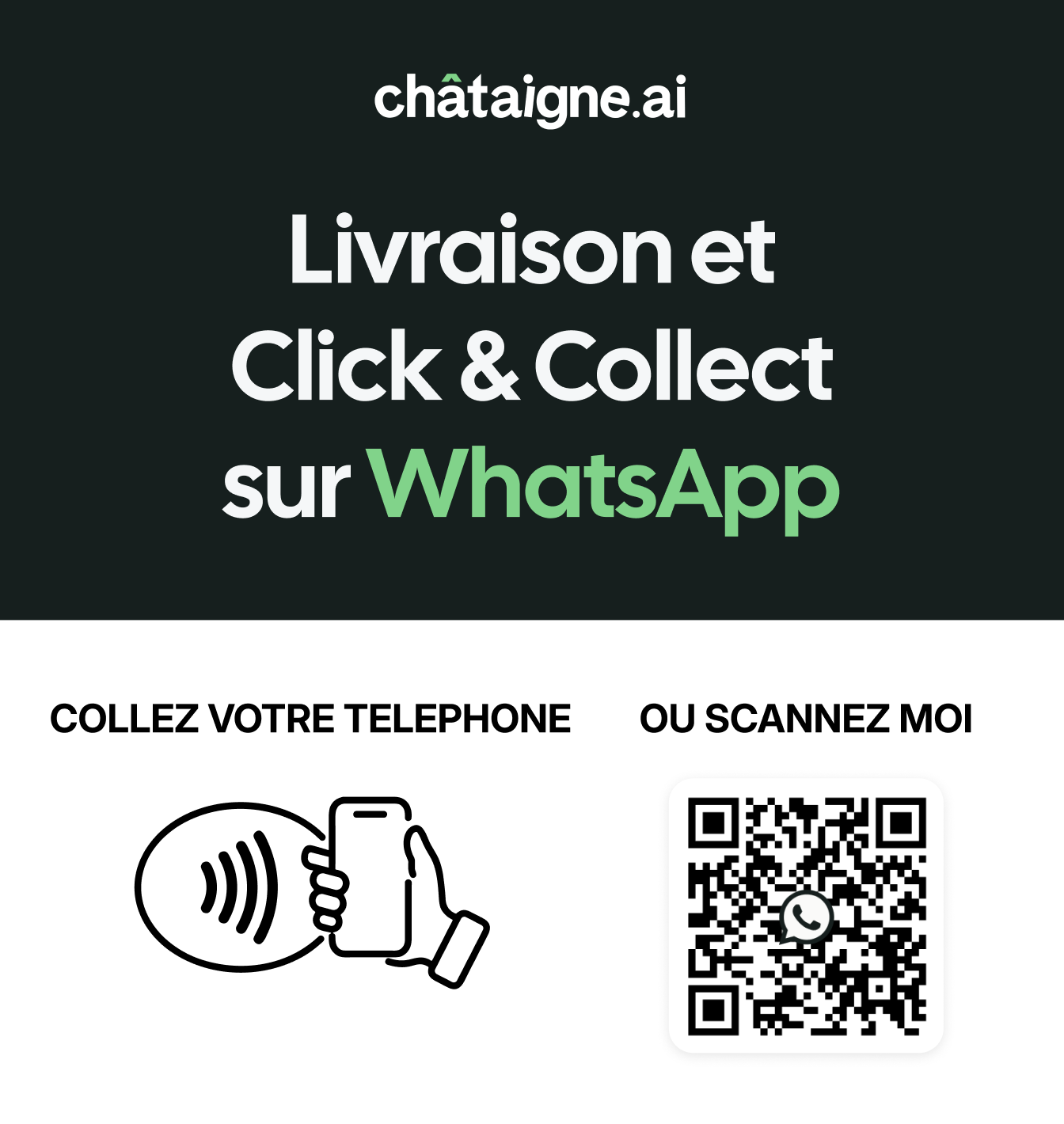
12x12cm Plexiglass. Place near registers.
- Use 'châtaigne.ai' logo variation
- Include WhatsApp link/QR Code
- Clear CTA to scan
- Mention 'WhatsApp' and value proposition
Stickers
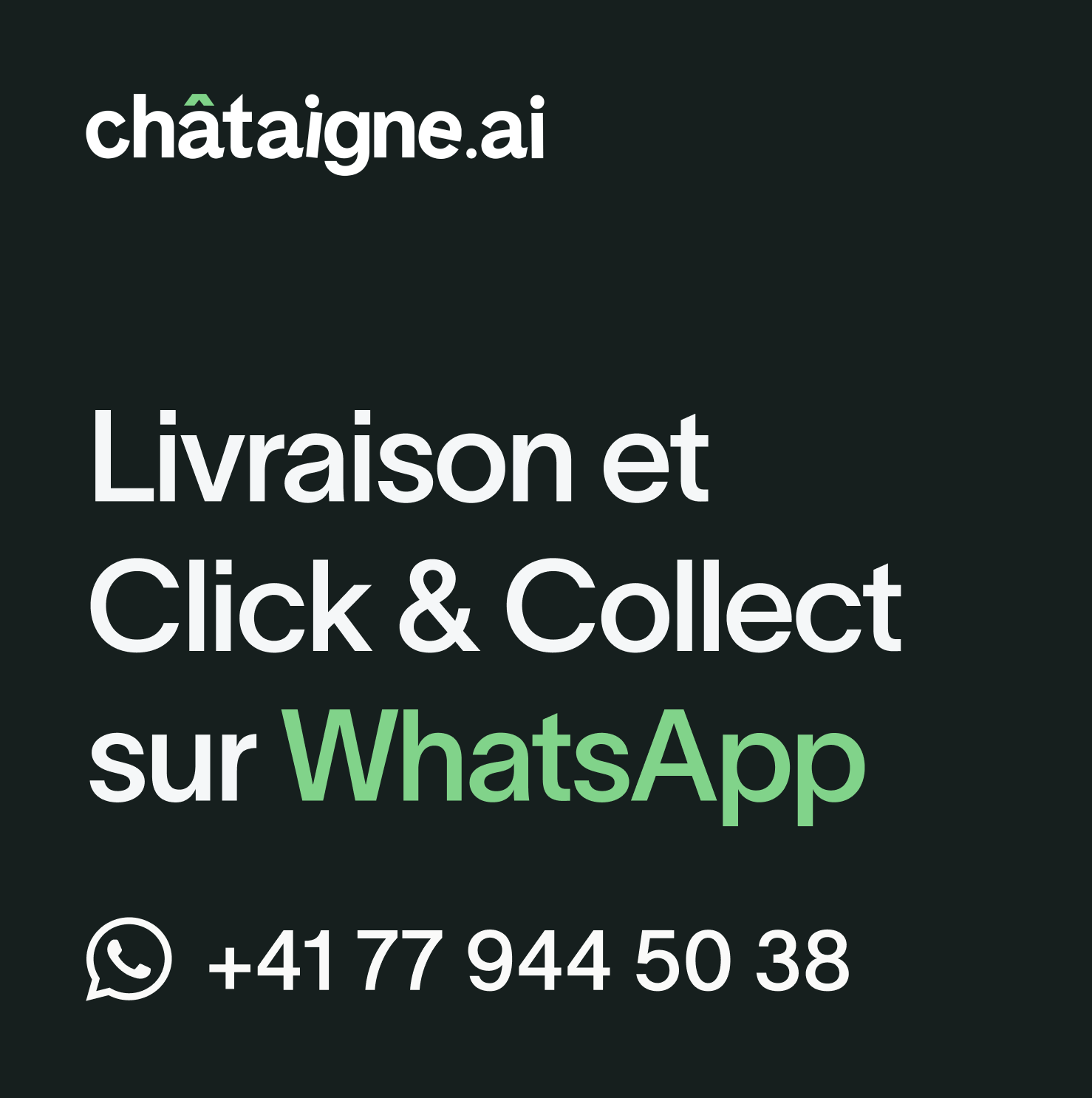
16x16cm. Place on doors and windows.
- Highlight phone number
- Include 'WhatsApp' and value proposition
- Use 'châtaigne.ai' logo variation
3) Digital Marketing / Social Media
Engage your community online.
Launch Offer
- Configure offer (e.g., 30% off first order, free delivery)
- Create exclusive WhatsApp menu/product
- Prepare visuals (Stories, Posts) & Editorial Calendar
Social Content
- Create 'How to Order' carousel for Instagram/TikTok
- Organize launch contest to encourage sharing
- SMS campaign for existing customers
- Announcement Newsletter
